A Free Design Bootcamp for Kids: Create, Not Consume
Eight weekly live classes online for ages 8 to 12, in groups of up to 12. Kids learn design thinking, storytelling, accessibility and how to use AI thoughtfully, then turn their own idea into an app concept. No coding, no experience needed, and it costs nothing. Dates for the next cohort are being set now: join the waitlist and we will email you first.
5.0 · 2,500+ Google reviews across our studios
- Free
- Ages 8–12
- 8 live weekly classes
- Up to 12 kids
- No coding


- Free
- no card, no catch
- 8 weeks
- one live class a week, never pre-recorded
- Up to 12
- kids per group, so every child is seen
- Ages 8–12
- complete beginners welcome
From KraftStories, the studio that runs creative workshops for teams at


Who teaches it
Taught by Nur Gökdoğan, every session
Nur is a product designer who has designed for GoDaddy, FieldLevel and PlusMinusOne, founded Design Confusion, and runs KraftStories. He teaches every class himself, with the same calm, question-first approach our studios use with adults. Portfolio: nur.design
Real design practice
The same process professional designers use, cut down to fit ages 8–12.
Small and live
Up to 12 kids, cameras on, questions welcome. Nothing is pre-recorded.
Calm, not loud
No leaderboards or pressure. Kids share when they are ready.
Eight weeks, one idea each week
What they explore
Every class has one clear idea, and each week builds on the last until their own app concept is ready to show.
-
Big Ideas Begin
Imagination becomes sketches others can understand and respond to.
-
Design Is More Than Decoration
Finding what isn't working — for a person, an animal, a system — and improving it.
-
Designing for Real People
Empathy challenges: designing for someone else's needs, not just your own taste.
-
Art, Emotion & Meaning
Why some designs make us feel something — color, layout, and how to do it on purpose.
-
Storytelling & App Thinking
Turning an idea that matters into the plan for a real app.
-
From Sketches to Digital Screens
Interface design: their drawings become real screens.
-
AI as a Creative Thinking Tool
Something to question, guide, and use thoughtfully — not a shortcut that replaces judgment.
-
From Ideas to Real Concepts
Final prototype, practiced presentation, proud showcase.
No coding. Free beginner design tools are introduced in class.
What they keep
Five things your child walks away with
Not just an app — real life skills and habits of thinking that outlast any tool or software.
Think clearly
Break a fuzzy idea into a problem they can actually solve.
Create with purpose
Make things for a reason, not just to fill a screen.
Speak with confidence
Explain their thinking and present their work to the group.
Design for real people
Start from someone else’s needs, including people with disabilities.
Use AI thoughtfully
Question it, guide it and check it, instead of letting it think for them.
From real sessions
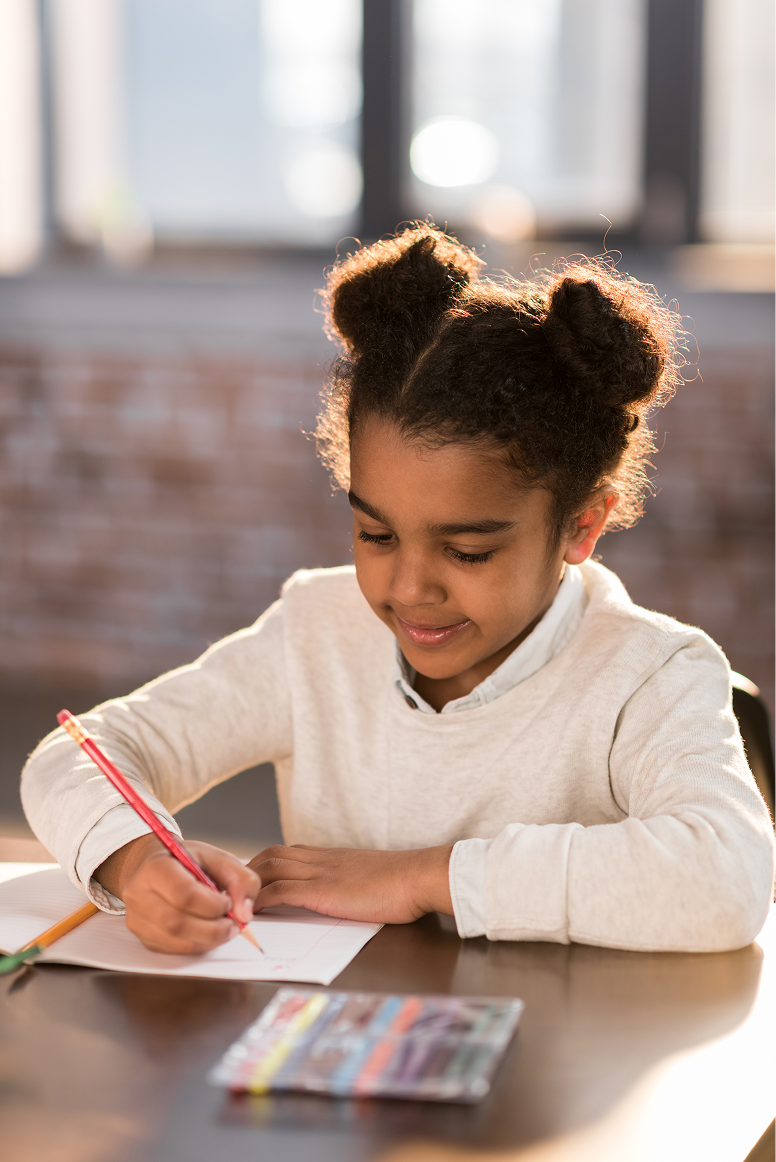
What class actually looks like
Sketches, screens, and the moment an idea becomes something they can show.



Is this your family?
This is for you if…
- You want your child prepared for technology — without letting technology raise them.
- You want future-ready skills grounded in care, curiosity, and real craft.
- You want confidence without constant performance, comparison, or pressure to be perfect.
- You want your child to explain their thinking — not just finish an assignment.
Before the first class
What you'll need
Nothing to buy. If your child can join a video call, they can join the bootcamp.
A computer
Laptop or desktop with a keyboard. A tablet works for watching, but not as well for designing.
Internet and a webcam
Cameras on keeps the group small and friendly.
Paper and pencil
Every idea starts as a sketch.
Free design tools
We introduce free beginner tools in class. No accounts to pay for.
Free waitlist
Save a place in the next cohort
Places are limited to 12 per group so every child gets attention. The waitlist decides who hears first.
- Join the listTwo minutes, no card. Tell us your child’s age and the times that suit you.
- We set the datesWe build cohorts around the times families pick most.
- Confirm your placeYou get an email with the dates first and confirm with one click.
Questions
Parents usually ask
Is it really free?
Yes. The bootcamp is free and there is no card to enter. We run it because we would rather kids make things than scroll.
When does the next cohort start?
Dates are being set now. Join the waitlist and you will hear first, with time to pick a slot that fits your week.
Does my child need experience?
No. It is built for complete beginners aged 8 to 12.
Is there any coding?
No. Kids learn how apps are designed, not how they are coded: ideas, sketches, screens and storytelling.
How do the classes work?
One live online class a week for eight weeks, in a group of up to 12, taught by Nur. Cameras on, questions welcome, never pre-recorded.
What if we miss a class?
Each class starts with a short recap, and we send a note on what was covered so your child can catch up before the next one.
How is AI taught?
As a tool to question, not a shortcut. Kids learn what it is good at, where it is wrong, and why their own judgement matters more.
Who teaches it?
Nur Gökdoğan, a product designer and the founder of KraftStories, teaches every session.
Who runs the bootcamp?
KraftStories, the craft studio with locations in New York, the San Francisco Bay Area and Honolulu. The bootcamp is online, so families anywhere can join.
Give them screen time that builds something
Free, live and small. Join the waitlist and we will email you when the next cohort opens.